Most people don’t start using a VPN because they planned to.
It usually happens in a moment of unease. You connect to public Wi-Fi at an airport. A website behaves oddly. A friend says, “You should probably use a VPN,” and doesn’t explain further.
So you download one, tap Connect, see a green icon, and feel safer.
That feeling is understandable. It’s also where most problems begin.
VPNs are genuinely useful tools. But in 2026, they are still widely misunderstood, trusted for the wrong reasons, blamed for problems they weren’t built to solve, and in many cases, configured poorly enough to defeat their own purpose.
This guide cuts through all of that. Whether you’re a first-time user or someone who’s had a VPN for years without fully understanding it, here’s what you actually need to know.
What Exactly Happens When You Turn a VPN On?
When your VPN connects, it doesn’t wrap your entire digital life in secrecy. It does something far more specific.
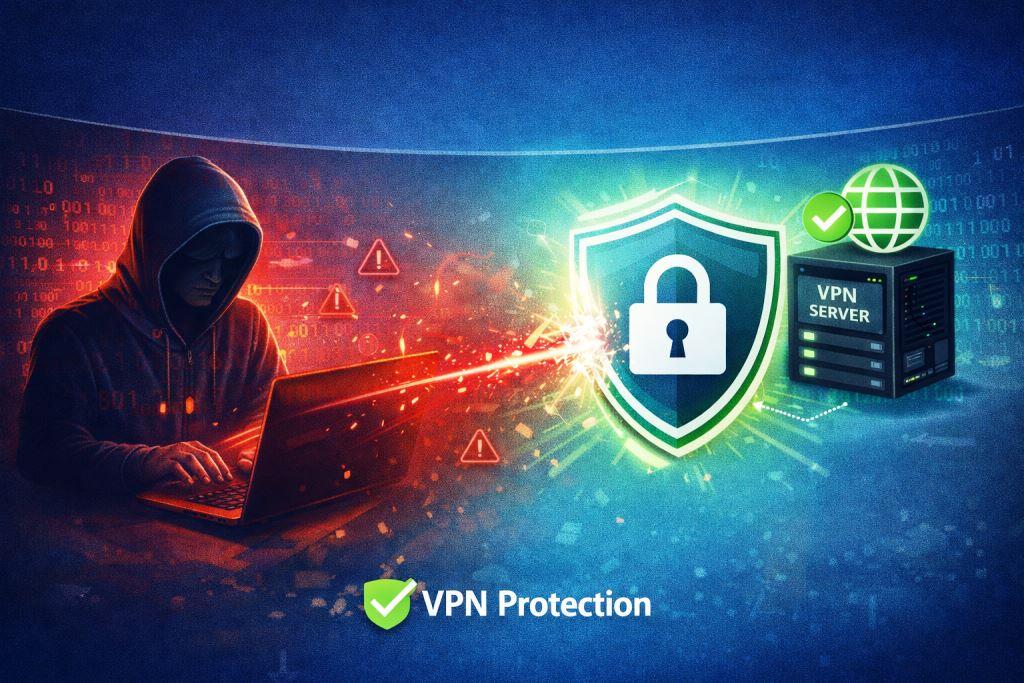
It creates an encrypted tunnel between your device and a VPN server located somewhere else. All the data moving through that tunnel is scrambled, unreadable to anyone intercepting it on the same network. Your internet provider (ISP) stops seeing the individual websites you visit. From their side, you’re simply connected to a VPN server.
That’s the core function. And it’s a genuinely meaningful one. But knowing its edges matters just as much as knowing what it does.
What a VPN does protect:
- Your traffic on networks you don’t control (public Wi-Fi, hotels, airports)
- Your browsing history from your ISP
- Your real IP address from websites you visit
- Data in transit from network-level interception
What a VPN does NOT protect:
- Your identity once you log into an account
- Tracking via cookies, browser fingerprints, or device IDs
- Malware or viruses are already on your device
- Phishing attempts or social engineering
- Data you willingly share with apps and websites
A VPN secures the path your data takes, not the identity you carry with you online. Once that’s clear, everything else makes sense.
Choose the Right VPN Protocol (It Matters More Than You Think)
Most modern VPN apps let you select a protocol. You don’t need a degree in cryptography, but you should understand what you’re choosing:
| Protocol | Best For | Speed | Security |
|---|---|---|---|
| WireGuard | Every day use, streaming | Very Fast | Excellent |
| OpenVPN | High security needs | Moderate | Very High |
| IKEv2/IPSec | Mobile, switching networks | Fast | High |
| Lightway (ExpressVPN) | Mobile, quick connects | Very Fast | Excellent |
| NordLynx (NordVPN) | All-round performance | Fastest | Excellent |
For most users in 2026: WireGuard (or an app’s WireGuard-based protocol) is the right default. It delivers the best balance of speed and security and is now an industry standard.
Avoid any VPN app that doesn’t clearly disclose which protocol it uses; that’s a transparency red flag.
2026 update: Leading VPNs like NordVPN and Proton VPN have begun rolling out post-quantum encryption, an additional layer designed to protect against future quantum computing attacks. It’s not critical for everyday users yet, but it signals where the industry is heading.
When Using a VPN Actually Helps
VPNs shine in situations where you can’t trust the network itself.
1. Public Wi-Fi
Cafes, airports, libraries, and hotels are convenient. They’re also shared by dozens or hundreds of strangers on infrastructure you know nothing about. A VPN encrypts what you send and receive, so even if someone on the same network is watching traffic, they see nothing useful.
2. Preventing ISP Tracking
Without a VPN, your internet provider can see every site you visit and, in many countries, sell or share that data with advertisers and authorities. A VPN breaks that visibility.
3. Accessing Region-Restricted Content
Some streaming services, news sites, and platforms restrict content by country. A VPN lets you connect through a server in a different location and access content as if you’re there.
4. Remote Work and Business Security
Organisations use VPNs to give employees secure access to internal systems from home or while travelling. If your company requires one, use it. It’s protecting company data, not just your privacy.
5. Avoiding Price Discrimination
Many shopping and travel websites adjust prices based on your browsing location, and something as simple as airline tickets or hotel rooms can show different rates for users in different countries. Connecting via a VPN to another server can reveal lower prices. Clear your cookies first for best results.
When a VPN Is Mostly Unnecessary
At home, on a network you control, the benefit shrinks considerably.
Modern websites, especially banks, payment processors, and email services, already use HTTPS, which encrypts data end-to-end. A VPN on top of that adds limited additional protection in that specific context.
Turning on a VPN doesn’t make a login form “more secure.” In some cases, it triggers fraud alerts or multi-factor re-authentication, which is more annoying than helpful.
The practical rule: Use a VPN selectively on networks you don’t own or trust, rather than assuming you must run it every moment of every day. It’s a tool, not a lifestyle.
Five Settings That Actually Matter
The following are key settings that really matter while using a VPN.
1. Kill Switch – Enable It
Most VPN apps include a kill switch. It’s one of the most important settings most users ignore.
VPN connections aren’t perfectly stable. They can drop briefly when you switch networks, lose signal, or the server hiccups. Without a kill switch, your device silently falls back to a regular unprotected connection, exposing your real IP and traffic without you noticing.
Every reputable VPN in 2026 includes a kill switch that blocks all traffic during connection drops, a feature critical for preventing accidental IP exposure.
- Turn it on. The only reason to disable it is if you need an uninterrupted connection even when the VPN drops, a trade-off worth understanding rather than ignoring.
2. Split Tunnelling – Use It Smartly
Split tunnelling lets you choose which apps or websites go through the VPN and which use your regular connection.
This is useful when:
- You want to VPN your browser, but keep your local banking app on the regular connection
- Gaming on your home network while keeping other apps private
- Accessing local network devices (printers, smart home) without disabling the VPN entirely
Most major VPN apps, NordVPN, ExpressVPN, Surfshark, support split tunnelling. It’s underused and surprisingly powerful.
3. Auto-Connect on Untrusted Networks
Set your VPN to connect automatically whenever you join a network that isn’t your home Wi-Fi. This removes the human error of forgetting to switch it on.
4. DNS Leak Protection
Even with a VPN running, DNS queries (the requests to translate website names into addresses) can sometimes leak outside the tunnel to your ISP’s servers. Good VPN apps handle this automatically, but it’s worth checking in your app’s settings that DNS leak protection is enabled.
5. Obfuscation / Stealth Mode (When Needed)
Some networks, corporate firewalls, and certain countries actively block VPN traffic. Obfuscation mode disguises your VPN traffic as regular HTTPS traffic, making it harder to detect and block. If your VPN connection is being blocked, look for this setting.
The Reality Behind “No-Logs” Claims
Nearly every VPN on the market claims to keep no logs. That phrase, on its own, means very little.
What actually matters:
- What exactly isn’t logged – some providers log connection timestamps and server usage even while claiming “no logs“
- How “logging” is defined – definitions vary widely between providers
- Whether the policy has been independently audited – look for third-party audits, not just self-declarations
In 2026, leading providers like NordVPN operate on RAM-only server infrastructure, meaning data is physically destroyed on every server reboot, a structural guarantee rather than a promise. Proton VPN, Mullvad, and ExpressVPN have also undergone independent audits from firms like Deloitte and Assured AB.
“No-logs” is a starting point for scrutiny, not a guarantee of anonymity. When in mind, choose providers with independently verified audit reports.
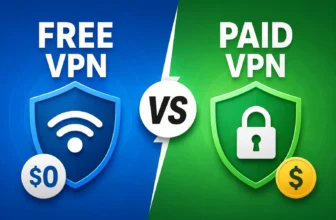
Free VPNs: The Hidden Cost
Free VPNs are tempting, but they consistently create the very problem they claim to solve.
Many free VPN providers log your browsing data and sell it to advertisers. Some have been caught injecting tracking code into users’ traffic. The business model of a free VPN is almost always to collect your data.
Relying on free VPNs is one of the most common mistakes users make; they often log data and sell user information.
If cost is the concern, providers like Proton VPN offer a genuinely free tier with no data selling and no logs. It’s slower and limited to a few servers, but it’s honest. For regular use, a paid VPN subscription (typically ₹200–₹700/month) is worth the investment.
Why VPNs Often Feel Like They “Break” Things
A lot of frustration blamed on VPNs comes from mismatched expectations, not actual malfunctions.
Common complaints and what’s actually happening:
- “Websites still know who I am” – Yes, because you logged in. A VPN changes your IP, not your identity.
- “Netflix isn’t working” – Streaming platforms actively block known VPN IP addresses. Switch servers or try a different location.
- “My banking app is asking for re-verification” – Your bank sees an unusual login location. This is the bank’s security working correctly.
- “Everything is slow” – You may be connected to an overloaded or geographically distant server. Choose one closer to you.
- “Ads are still showing” – VPNs don’t block ads by default. Some VPNs (like NordVPN’s Threat Protection or Surfshark’s CleanWeb) include ad/tracker blocking as a separate feature; enable it if your provider offers it.
Understanding this saves hours of unnecessary tweaking.
VPN Legality: What You Should Know in 2026
VPNs are legal in most countries, including India, but legal doesn’t mean unrestricted everywhere.
In countries like China, the government has imposed controls that technically make unauthorised VPN use illegal, though enforcement varies, especially for foreigners. In the UAE, VPN use is permitted for companies and institutions but is restricted for personal use.
In India, VPN use is legal, but the government introduced rules in 2022 requiring VPN providers to store user data for 5 years and hand it over upon request. Several major providers (ExpressVPN, NordVPN, Surfshark) responded by pulling their physical servers from India and operating via virtual Indian servers instead, meaning they’re outside Indian jurisdiction.
If privacy from Indian authorities is a concern, confirm your provider’s India server policy before subscribing.
Where VPNs Stop Being Enough
A VPN protects your connection. It cannot protect your choices.
If you log into accounts linked to your real identity, that identity follows you everywhere. If your device already has malware, a VPN won’t remove it or stop it from phoning home. If you reuse passwords or click phishing links, the weak point isn’t the network, it’s the behaviour.
Privacy is a layered discipline. A VPN is one solid layer. It works best alongside:
- A password manager (Bitwarden, 1Password)
- Two-factor authentication on all accounts
- A privacy-respecting browser (Firefox, Brave)
- Regular software updates
- Healthy scepticism about suspicious links and emails
The strongest VPN in the world can’t compensate for an unlocked front door.
How AI Is Changing VPN Technology
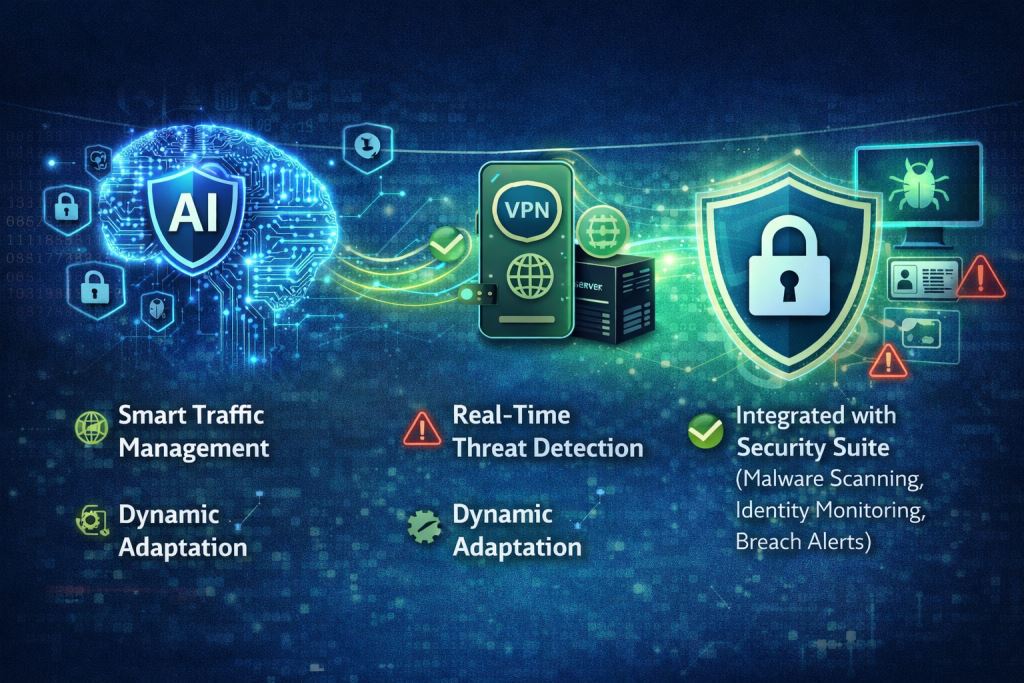
Something worth noting for 2026 and beyond: VPN technology itself is evolving.
AI-powered VPNs are emerging that use smarter traffic management, automatically selecting optimal servers, detecting threats in real time, and adapting to network conditions dynamically. Several providers are also integrating VPN functionality with broader security suites that include malware scanning, identity monitoring, and breach alerts.
This convergence means the VPN of 2026 is increasingly less of a standalone tunnel tool and more of a component in a broader personal security stack. Knowing what each layer does and doesn’t do matters more than ever.
A Practical Decision Framework: When to Use a VPN
| Situation | Use VPN? |
|---|---|
| Public Wi-Fi (airport, cafe, hotel) | ✅ Yes — always |
| Home broadband, trusted network | ⚡ Optional — limited benefit |
| Accessing geo-restricted content | ✅ Yes |
| Sensitive browsing (banking, medical) | ✅ Yes on public Wi-Fi; optional at home |
| Remote work accessing company systems | ✅ Yes — often required |
| Torrenting / P2P (where legal) | ✅ Yes |
| Gaming (low latency priority) | ⚡ Optional — may increase ping |
| Everyday home browsing | ⚡ Personal preference |
Frequently Asked Questions
Q1. Does a VPN make me completely anonymous online?
No. A VPN masks your IP address and encrypts your traffic, but websites track you through cookies, browser fingerprints, and login sessions. True anonymity requires much more, and even then, it isn’t guaranteed.
Q2. Should I leave my VPN on all the time?
It depends on your needs. On public or shared networks, yes. At home on a trusted connection, the added benefit is minimal. Many people use VPNs selectively, when out and off at home.
Q3. Can my ISP see I’m using a VPN?
Your ISP can see that you’re connected to a VPN server. They cannot see what you’re doing through it. Obfuscation mode hides even that, making traffic appear as standard HTTPS.
Q4. Are free VPNs safe to use?
Most are not. Free VPNs frequently monetise your data. If you need a free option, Proton VPN’s free tier is a trustworthy exception.
Q5. Does a VPN protect me from hackers?
On public Wi-Fi, yes, it prevents network-level interception. But it doesn’t protect you from malware already on your device, phishing attacks, or compromised websites.
Q6. What’s the best VPN in 2026?
NordVPN, Proton VPN, ExpressVPN, Mullvad, and Surfshark consistently lead independent rankings. The “best” depends on your use case, privacy purity, streaming, speed, or price.
The Bottom Line
A VPN is not invisible. It is not anonymity. And it is not a cure-all for every privacy or security concern.
It is a tool that makes specific situations meaningfully safer, particularly any time you’re on a network you don’t control. Used deliberately, with the right settings enabled and realistic expectations in place, it does its job quietly and well.
The goal isn’t to run a VPN out of vague anxiety. It’s to understand exactly what it protects, turn it on when that protection matters, and pair it with other habits that cover what a VPN was never designed to handle.
That’s how you use a VPN properly.


I'm a tech guy at heart, always exploring, always learning. From AI and modern tech to hands-on how-to guides, I write about the things I discover so you don't have to figure it out alone.