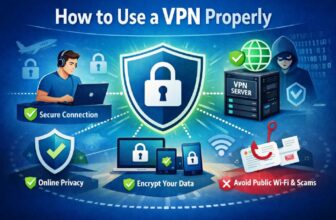
Most beginners don’t struggle with VPNs because they’re complicated. They struggle because VPNs are often poorly explained.
The first time you open a VPN app, you’re faced with unfamiliar words: servers, protocols, kill switches, and split tunnelling. None of it tells you what actually matters in day-to-day use. So you either turn everything on and hope for the best, or you turn it off the moment something feels wrong. Neither approach feels great.
Using a VPN as a beginner doesn’t require deep technical knowledge. It requires knowing which parts to ignore and which habits make life easier. Once that’s clear, VPNs stop feeling fragile and start feeling boring—in a good way.
What a Beginner Actually Needs From a VPN
At a basic level, most beginners want the same thing.
They want to connect to public Wi-Fi without worrying about who else is on the network. They want a bit more privacy from their internet provider. And they don’t want their phone, browser, or streaming apps to stop working suddenly.
That’s it.
You don’t need perfect anonymity. You don’t need to understand encryption. You don’t need to tweak every setting the app offers. In fact, trying to “optimise” a VPN too early is one of the easiest ways to cause problems.
For beginners, simplicity is a feature, not a limitation.
The First Time You Turn a VPN On
The first connection is often the most confusing moment. You tap “Connect,” your location changes, and everything seems fine until it isn’t. A website loads slowly. A streaming app refuses to play. A banking app asks you to verify your identity again.
None of this means you’ve done something wrong.
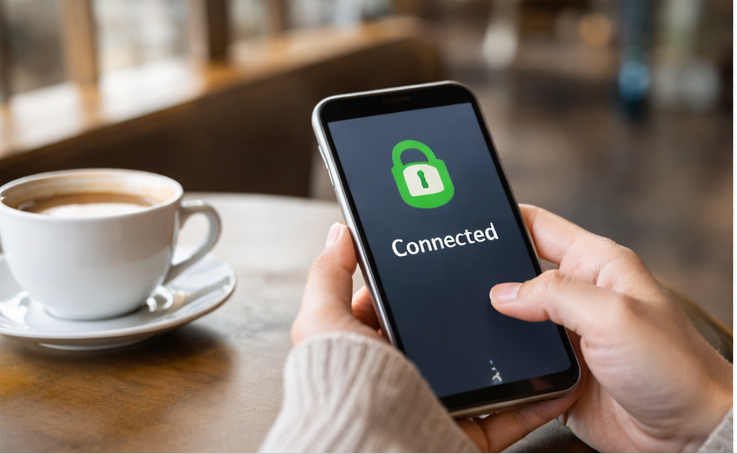
VPNs reroute your traffic through another location. Some services react to that cautiously. Others don’t care at all. This uneven behaviour is normal, and it’s the reason beginners should think of VPNs as something you use when needed, not something you must leave on permanently.
If something important stops working, turning the VPN off is a reasonable response, not a failure.
Choosing a Location Without Overthinking It
Most VPN apps show a long list of countries and cities. It looks important. It usually isn’t.
As a beginner, the best choice is almost always a server close to where you physically are. Nearby servers tend to be faster and more stable, which matters far more than virtual location hopping.
If you’re using a VPN for public Wi-Fi or basic privacy, you don’t gain much by connecting to the other side of the world. Distance adds complexity without meaningful benefit.
Let the app choose automatically, or pick something nearby and forget about it.
The One Setting Worth Paying Attention To
Beginner VPN apps are full of settings you don’t need to touch. Except one.
The kill switch.
A kill switch prevents your device from silently reconnecting to the internet if the VPN drops for a moment. On unstable networks like cafes or airports, this can happen more often than you’d expect.
For beginners, enabling the kill switch is usually a good idea if you plan to use public Wi-Fi regularly. It adds a layer of consistency without requiring ongoing attention.
That said, if it causes frequent disconnects or blocks apps you rely on, turning it off is fine. A VPN that’s constantly fighting your device isn’t helping you.
Why Some Apps Behave Strangely on a VPN
One of the fastest ways beginners lose trust in VPNs is when everyday apps start acting differently.
Streaming services may show fewer titles. Shopping sites may ask for extra verification. Email or banking apps may log you out.
This isn’t because VPNs are unsafe. It’s because many services associate VPN traffic with higher risk or automated activity. They respond by adding friction.
When that happens, the simplest solution is also the most effective one: turn the VPN off temporarily. Use it again when you’re back on an untrusted network.
A VPN doesn’t need to be always-on to be useful.
Common Beginner Mistakes (And Why They Happen)
Most beginner mistakes come from good intentions.
People assume free VPNs are harmless because they cost nothing. In reality, running a VPN costs money, and “free” often means the business model is hidden somewhere else.
Others assume incognito mode, and VPNs do the same thing. They don’t. Incognito mode affects your browser history. A VPN affects your network connection. They solve different problems.
Some beginners also expect VPNs to block ads, trackers, or malware. Those are separate tools, with separate purposes.
None of these mistakes means someone is careless. They simply reflect how unclear VPN explanations usually are.
When a VPN Is the Right Choice for Beginners
A VPN is most helpful for beginners in very ordinary situations.
When you’re on public Wi-Fi and don’t want to think about who else is connected. When you’re travelling and using unfamiliar networks. When you want a bit of distance between your browsing activity and your internet provider.
In those moments, a VPN does its job quietly. You don’t need to monitor it or fine-tune it. You just connect, use the internet, and disconnect when you’re done.
That’s enough.
When Beginners Shouldn’t Rely on a VPN
A VPN won’t protect you from everything, and beginners should know that early.
If you log into accounts tied to your real identity, that identity remains visible. If your device is compromised, a VPN won’t fix it. If passwords are reused or weak, the risk exists regardless of the network.
Understanding these limits prevents false confidence. And paradoxically, it makes VPN use more responsible.
A Simple Habit That Works Well
For most beginners, the healthiest VPN habit looks like this:
- Use a VPN on networks you don’t trust.
- Turn it off when it causes friction.
- Don’t chase settings you don’t understand yet.
Over time, you may get curious about advanced features. Or you may never need them. Either outcome is fine.
A VPN isn’t a skill you master. It’s a tool you learn to place correctly.
The Beginner’s Way to Think About VPNs
A VPN isn’t there to change who you are online. It’s there to make certain connections less exposed.
If you treat it that way—useful, limited, optional—it stops feeling intimidating. It becomes part of your routine when it makes sense, and invisible when it doesn’t.
That’s exactly how beginners should experience it.